All your work,in one orbit.
Chat, projects, docs, clients and an AI teammate in one workspace. For teams of every size, and everyone they work with.
- Free during early access
- Founding price, locked in
- Free migration from Slack and Asana
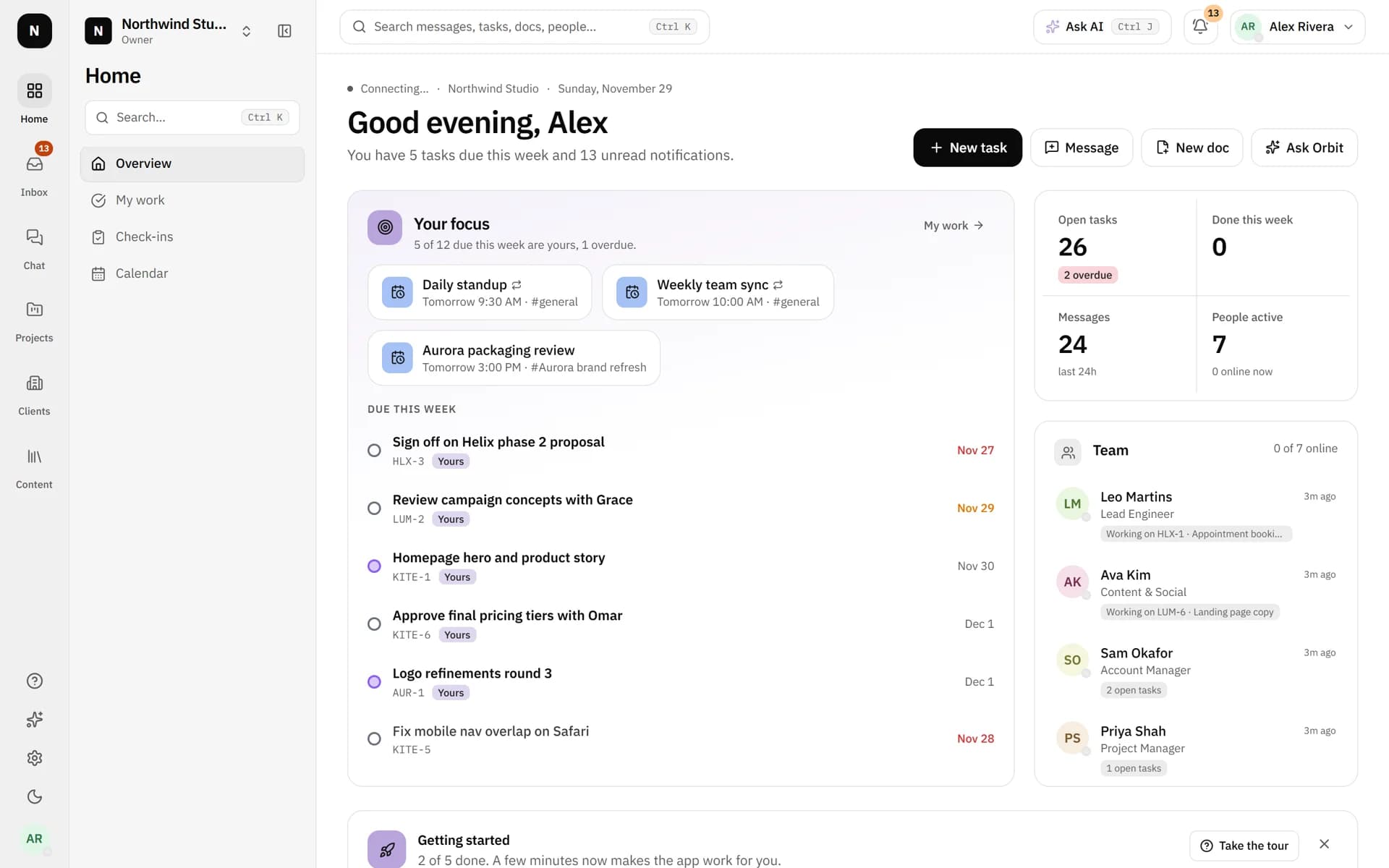


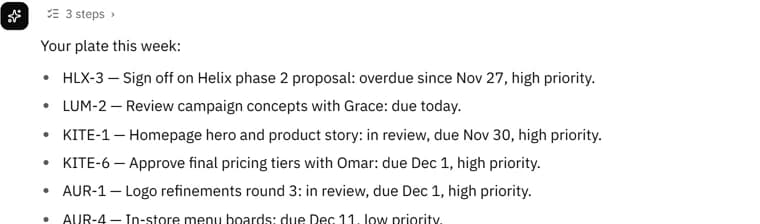
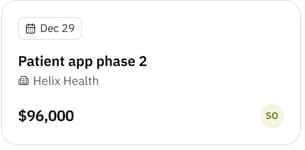
Built at OmniWink, and the workspace our own team runs on every day.
One workspace instead of
Why work slips.
Teams don't lose time doing the work. They lose it looking for it.
Context lives in five tools
The brief is in a doc, the feedback in chat, the deadline in a task, the client in a spreadsheet.
Everyone asks for status
Status meetings and long threads just to answer "where are we?"
Nobody sees the whole picture
What's overdue, who's overloaded and what's at risk only shows up when it's too late.
One workspace for every part of the job.
Four areas that used to be four subscriptions, now connected by default.
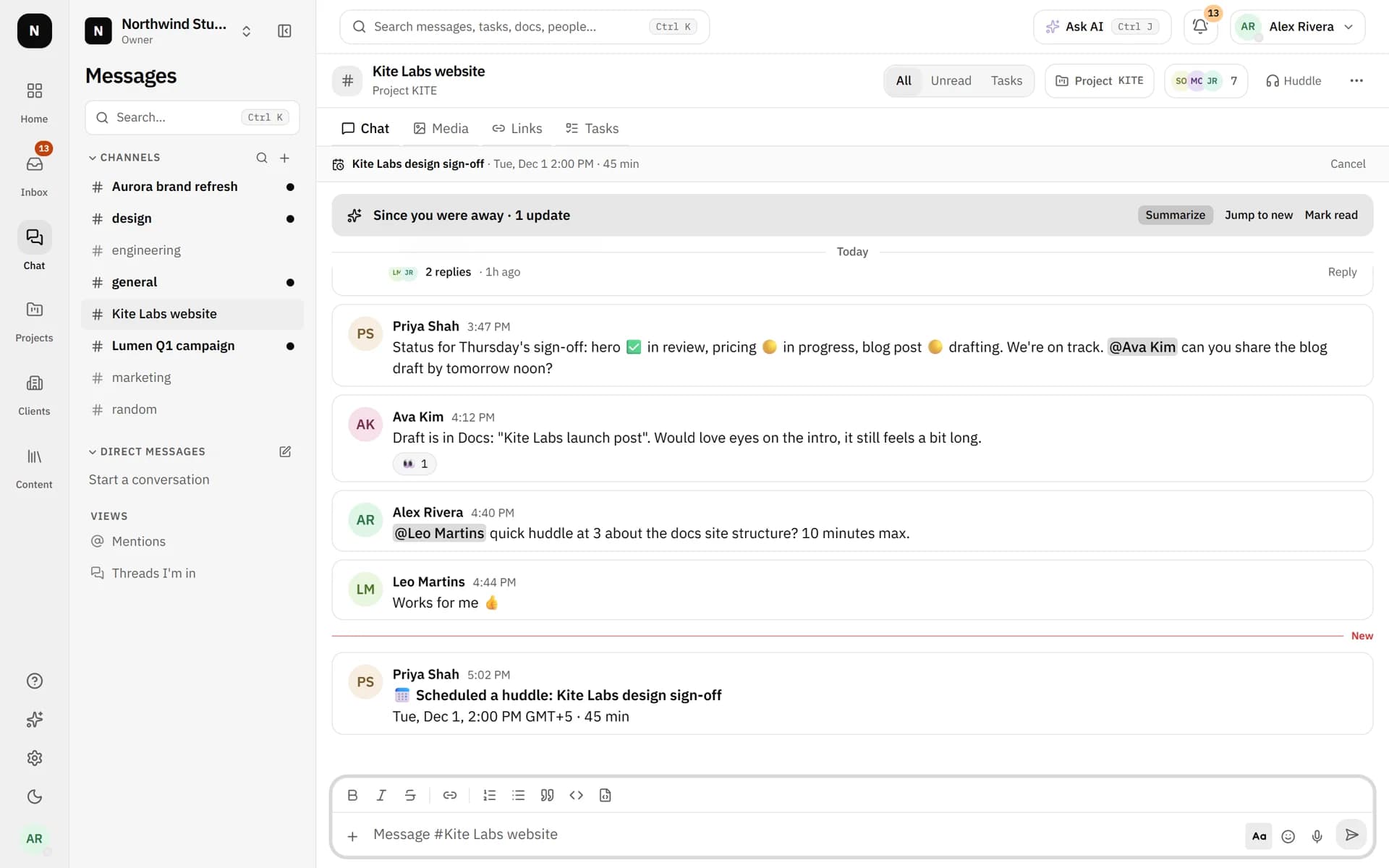
Talk where the work happens.
Channels, DMs, threads and huddles, wired to your tasks and clients.
- Turn any message into a task
- Huddles with screen share, clients welcome
- One inbox for mentions, due dates and email
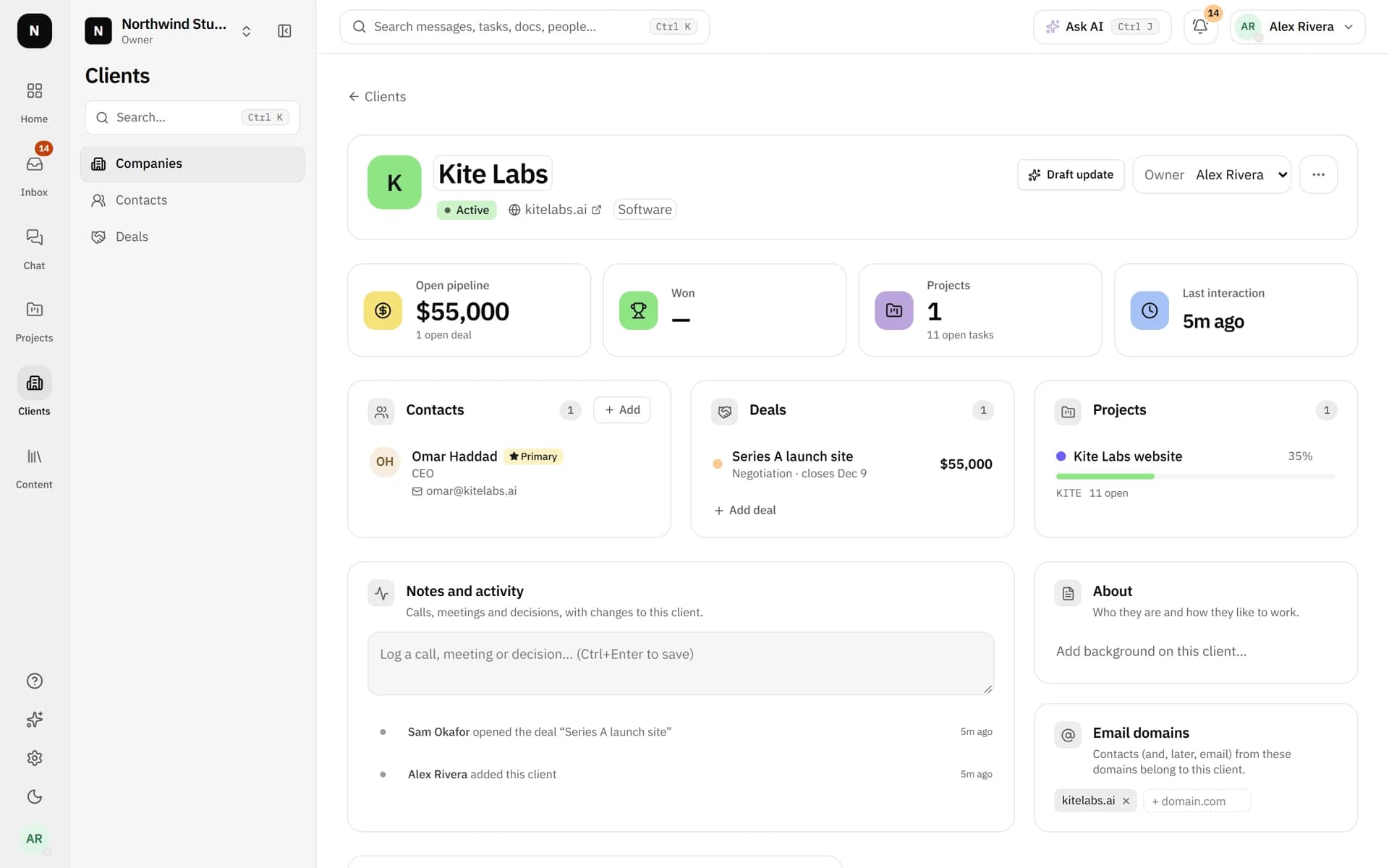
Bring clients and partners into the loop.
A CRM for the people you sell to, and a private portal for the people you deliver to. No more status emails.
Invite your client
Pick a contact on the client's page and send the invite. No extra licence.
Share what matters
Project progress, chosen tasks, files and docs. Never your internal chat.
Get approvals
Clients approve or request changes, and the task moves for you.
An AI teammate that knows your work.
It reads what you can read, answers with real task keys, and never changes anything without your approval.
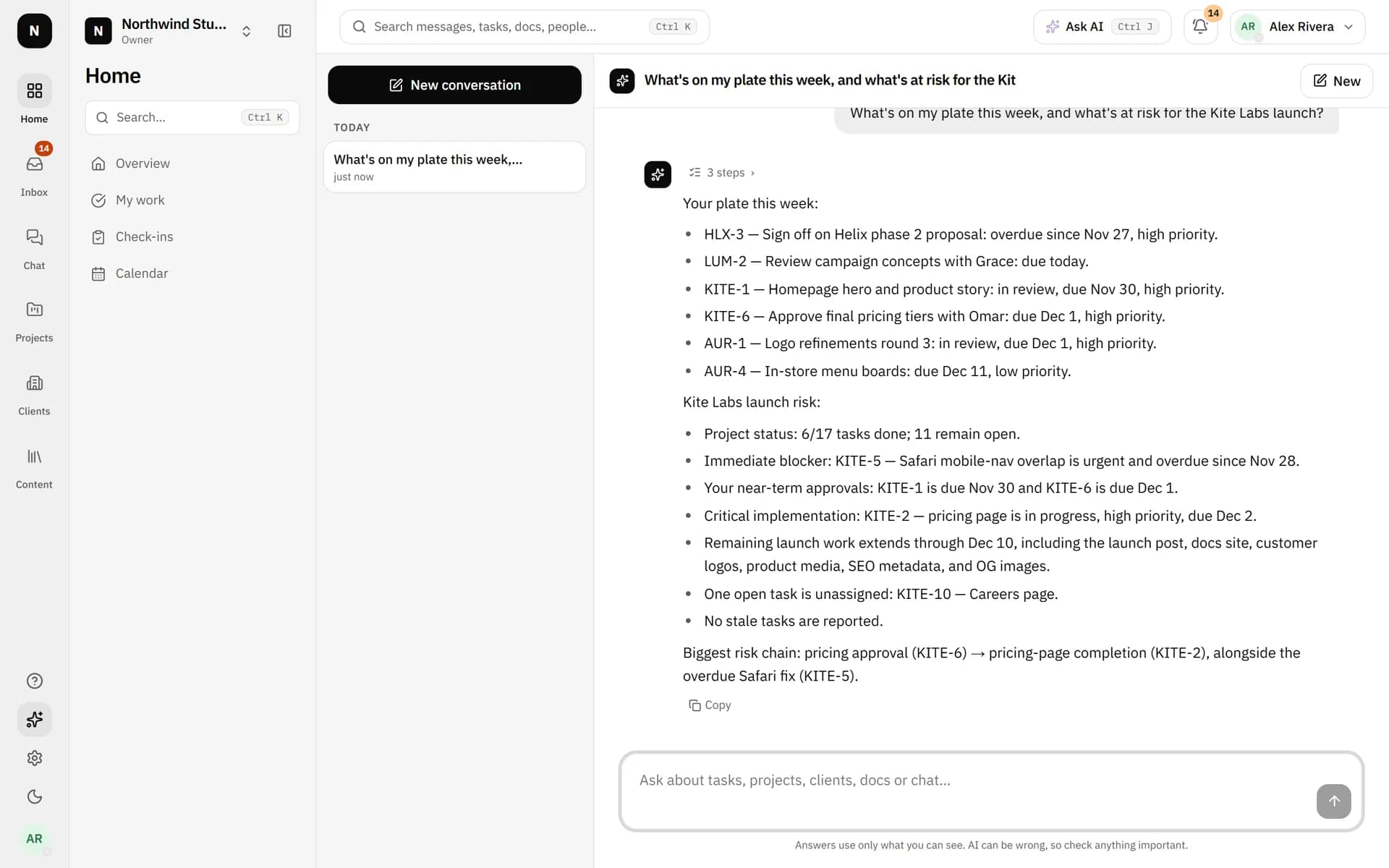
Ask anything
Tasks, projects, clients, docs and chat, answered in seconds.
Catch me up
Summaries of busy channels and long threads.
Draft the update
Standups and client updates, written from real work.
Acts with approval
Every change waits for your yes. Nothing runs on its own.
Also works with Claude and other AI agents through Orbit's MCP server.
24 features. One login.
Every part of Orbit, grouped by the job it does.
Home
Your day at a glance: work, huddles and people
Chat
Channels, DMs and threads linked to your tasks
Huddles & calls
Audio, video and screen share in any channel
Inbox
Mentions, assignments and due dates in one list
Mailbox
Your own mailbox inside Orbit, private to you
Projects & tasks
Boards and tasks with keys like KITE-12
Timeline & planning
Gantt timeline, milestones and dependencies
My work
Your tasks from every project, sorted by due date
Calendar
Huddles, client meetings and bookings together
Reports & workload
Progress, burn-up charts and team workload
Check-ins
Recurring standups that report to a channel
Clients & deals
Companies, contacts and a deals pipeline
Client portal
A private window for clients, with approvals
Social publishing
Plan and schedule posts for every project
Website watch
Uptime and speed checks for every site
Docs
Live docs with mentions, checklists and /task
Spreadsheets
Multi-tab spreadsheets with formulas, shared live
Files
Every file, filed by project and channel
Search & command palette
Find any message, task, doc or person
Ask Orbit
Answers and actions across your workspace
API, MCP & webhooks
REST API, webhooks, slash commands and MCP
GitHub
Commits and PRs linked to tasks automatically
Roles, access & audit log
Roles, section access, retention and audit trail
Desktop app
Native apps for Windows and Mac
Less software. More work done.
What changes when the whole team works in one place.
24
features in one workspace
Chat, projects, docs, CRM, calendar, AI and more.
11
tools it can replace
From Slack and Asana to HubSpot and Calendly.
1
login for your team and clients
Guests and clients only see what you share.
0
copy-paste between apps
Tasks, docs and chat link to each other natively.
Enterprise-grade from day one.
Your team, your customers and your data. Orbit gives you the controls to protect all three.
Join the waitlistCloud or self-hosted
Run Orbit with us, or on your own server with Docker.
Roles and section access
Owners, admins, members and guests, plus per-person access to each section.
Audit log
Members, roles, tokens, exports, policies and portal sharing, all recorded.
Full data export
Export the whole workspace as JSON, any time.
Retention policies
Decide how long messages are kept, workspace-wide.
Encrypted credentials
Integration tokens and mail passwords encrypted at rest.
AI with your permissions
The assistant only sees what each person can see.
SSO (SAML / OIDC)
Single sign-on with your identity provider.
One workspace instead of eight tools.
| The job | Usually needs | In Orbit |
|---|---|---|
| Team chat and threads Slack, Teams | Slack, Teams | Chat |
| Calls and screen share Zoom, Google Meet | Zoom, Google Meet | Huddles |
| Projects, boards and timelines Asana, Jira, Monday | Asana, Jira, Monday | Projects & planning |
| Docs and wikis Notion, Google Docs | Notion, Google Docs | Docs |
| Spreadsheets Google Sheets, Excel | Google Sheets, Excel | Spreadsheets |
| CRM and sales pipeline HubSpot, Pipedrive | HubSpot, Pipedrive | Clients & deals |
| Client portal and approvals Client portals, email | Client portals, email | Client portal |
| Scheduling Calendly, Google Calendar | Calendly, Google Calendar | Calendar |
Get into orbit early.
Founding spots are limited. Join now, bring your team in first, and move up the list with every referral.
- Free during early access
- Founding price, locked in
- Free migration from Slack and Asana
Questions, answered.
One workspace for teams of every size: chat, huddles, projects, docs, clients, calendar, reports and an AI assistant, instead of a stack of separate tools.
We invite teams in small batches. Join the waitlist and we'll email you when your invite is ready. Referrals move you up the list.
We'll share pricing with the waitlist before launch. Founding teams lock in their price and use Orbit free during early access.
Both. Use Orbit in our cloud, or run it on your own server with Docker so your data never leaves it.
Yes. Import Slack history, and tasks from Jira, Linear, Asana or any CSV.
Ask Orbit only sees what the person asking can see, and any change it suggests waits for their approval.